Shift Allocation Request
Here Employee Shift & workdays can be modified.
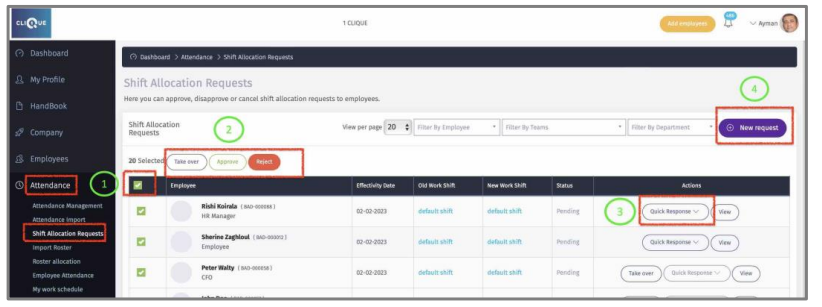
1 – Check this box to select all requests.
2 – Select the action button to perform on all selected employees.
3 – Click on “Quick Response” to take action for that employee.
4 – Click On “New Request” to edit employee shift & Workdays.
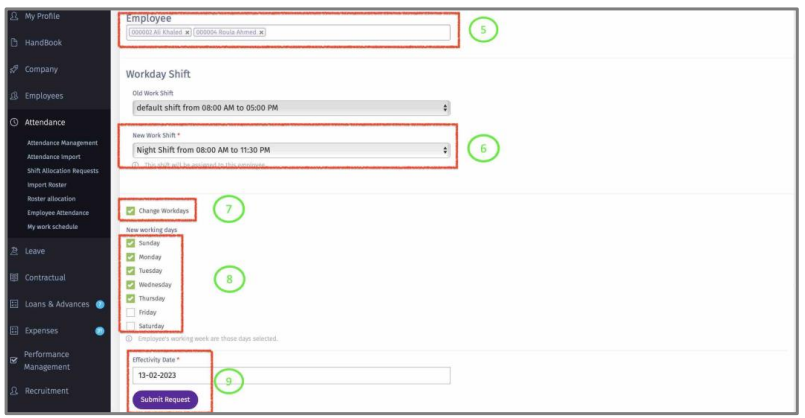
5 – Select Employee(s).
6 – Select new Shift.
7 – Check this box to change workdays, if required.
8 – Check the box for everyday working days of the week.
9 – Select Effective Date and Click “Submit Request”.
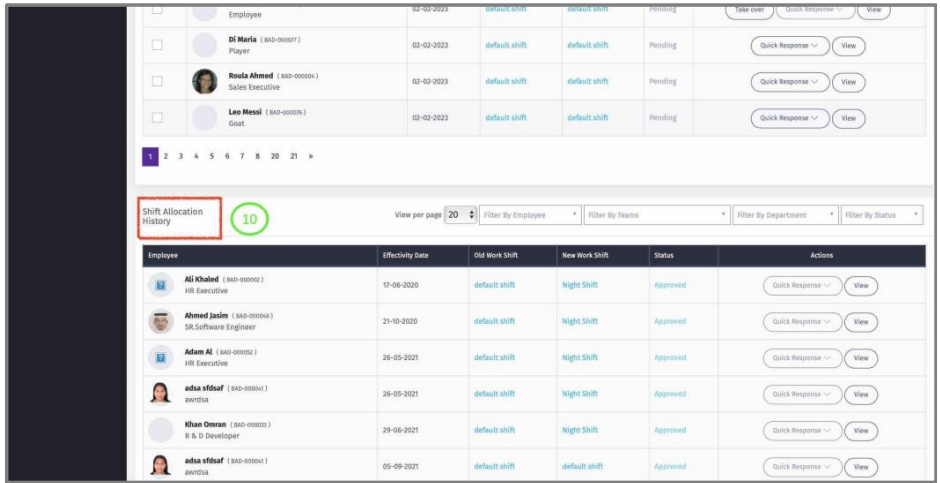
10 – View history of Approved Shift Allocation Requests.